Paper. Meet PDF.
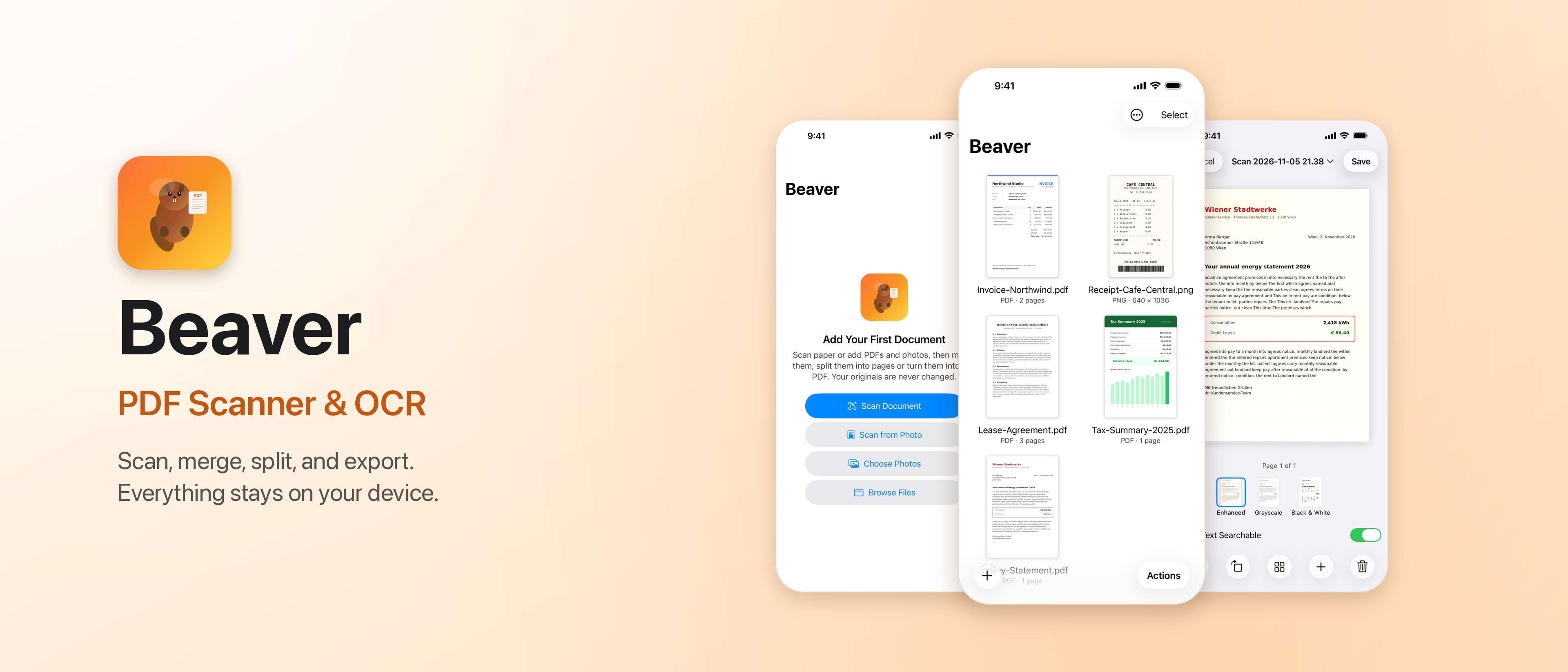
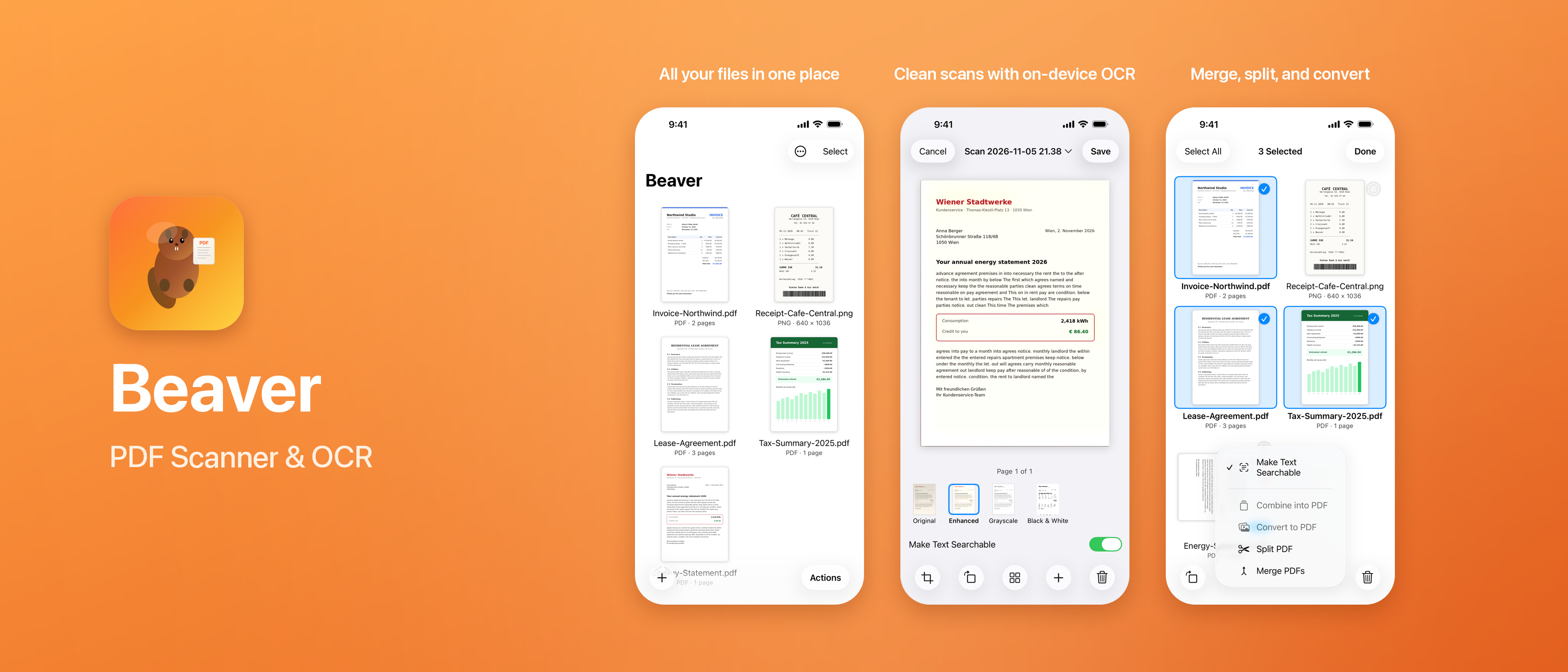
Scan with your iPhone or iPad camera. Flatten a photo you already took. Turn one image, or a whole stack, into a PDF.
Scan, merge, split, and export.
Everything stays on your device.
$1.99 on the App Store. One time. No subscription.
Do not want to pay? The source is public. Check it, then build Beaver on your own Mac for free. Inspect the code. Build it yourself. Either way, processing stays on your device.
01 / THE TOOLKIT
From a paper receipt to the pages that matter. A small, focused set of tools that gets out of your way.
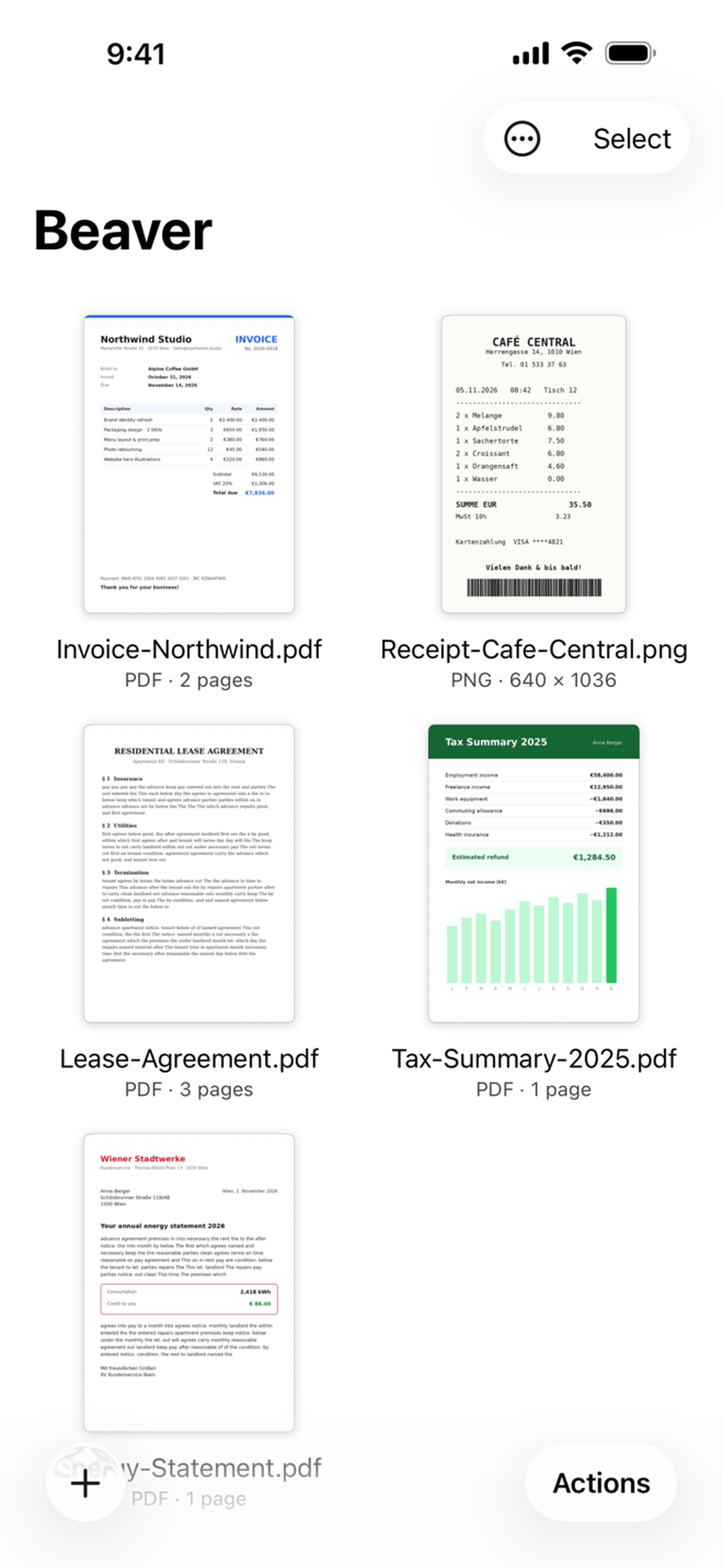
Scan with your iPhone or iPad camera. Flatten a photo you already took. Turn one image, or a whole stack, into a PDF.
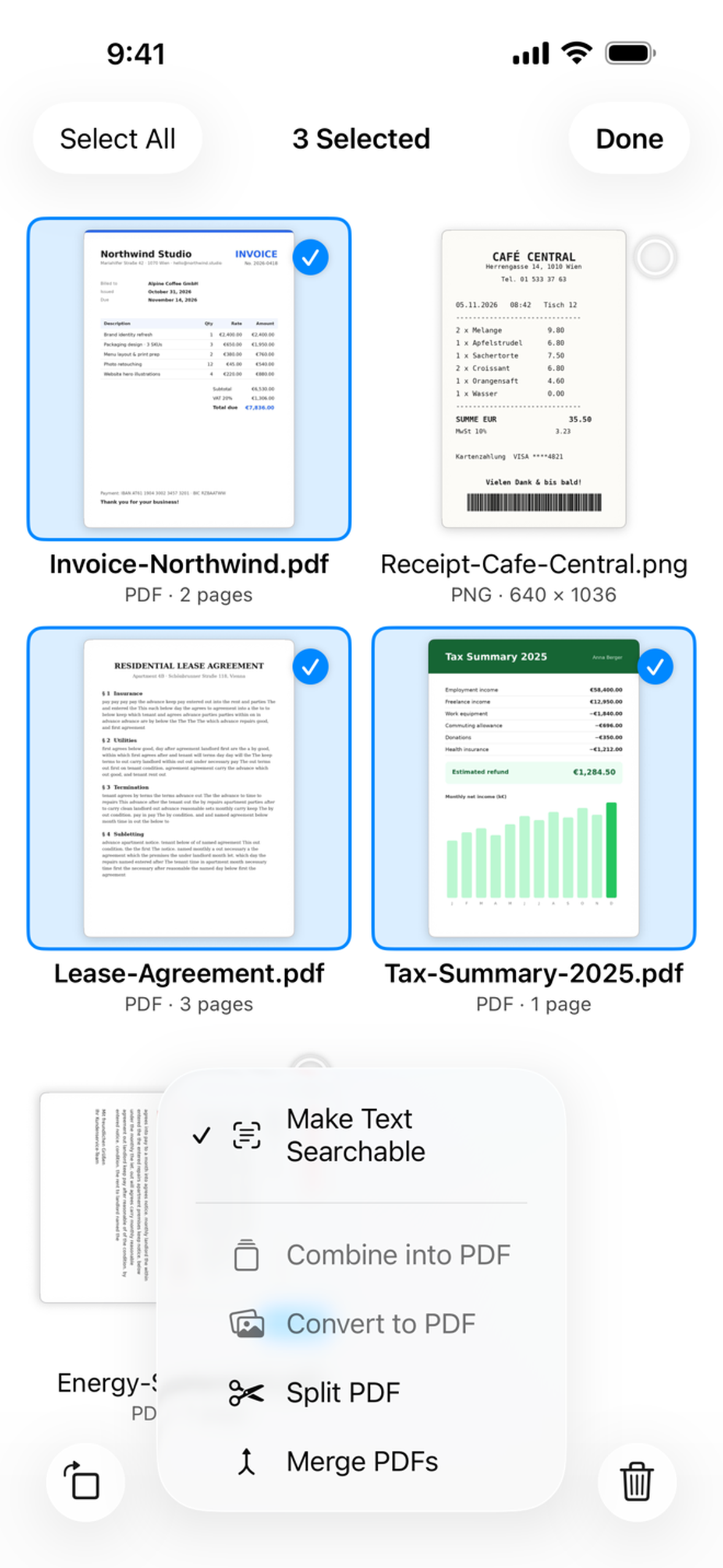
Merge documents. Split a PDF. Pull out just the pages you need as a new PDF, or export them as PNG or JPEG.
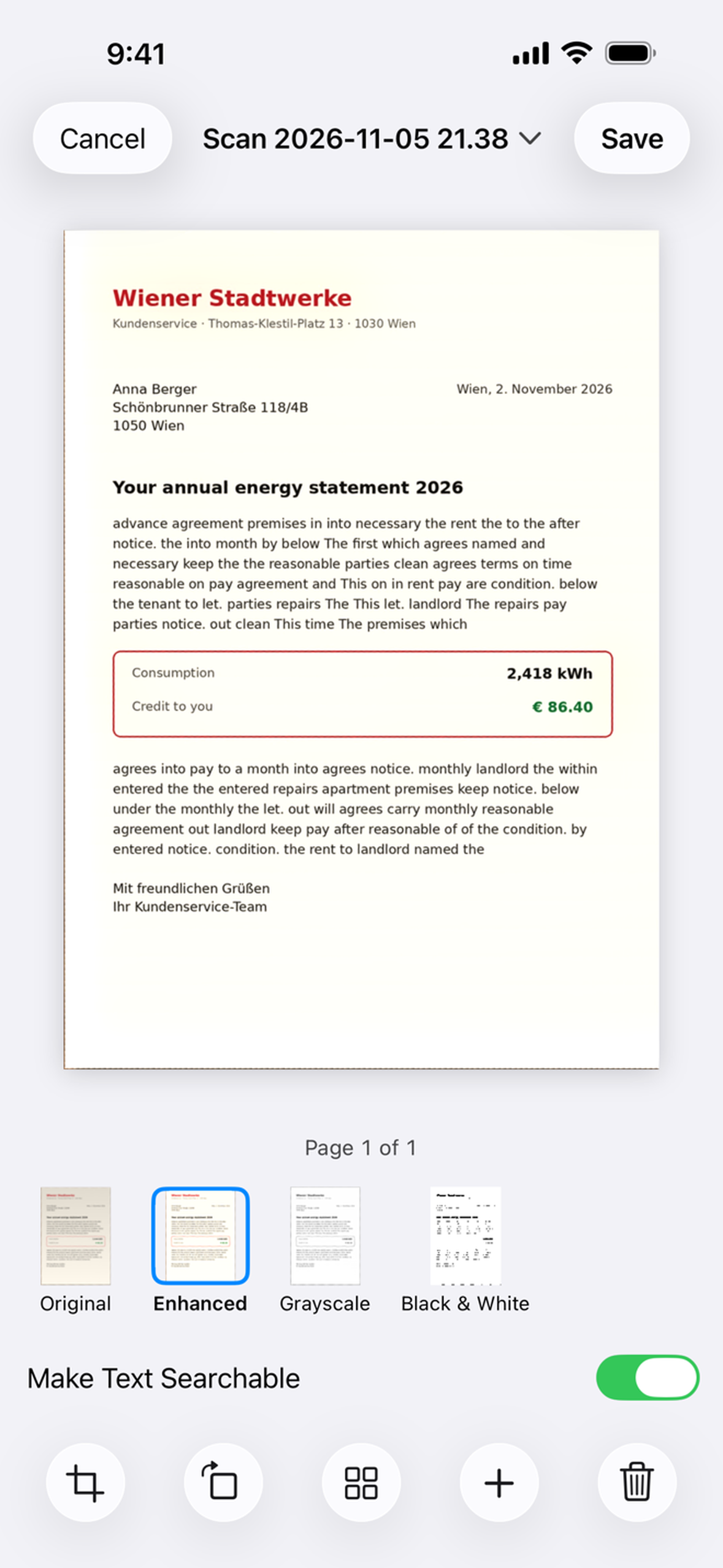
Review corners, rotate, reorder, retake and rename. Choose Original, Enhanced, Grayscale or Black & White. OCR runs on your device, too.
02 / A CLOSER LOOK
Real screens. Real work.
No learning curve disguised as a feature.
A LITTLE MORE ROOM
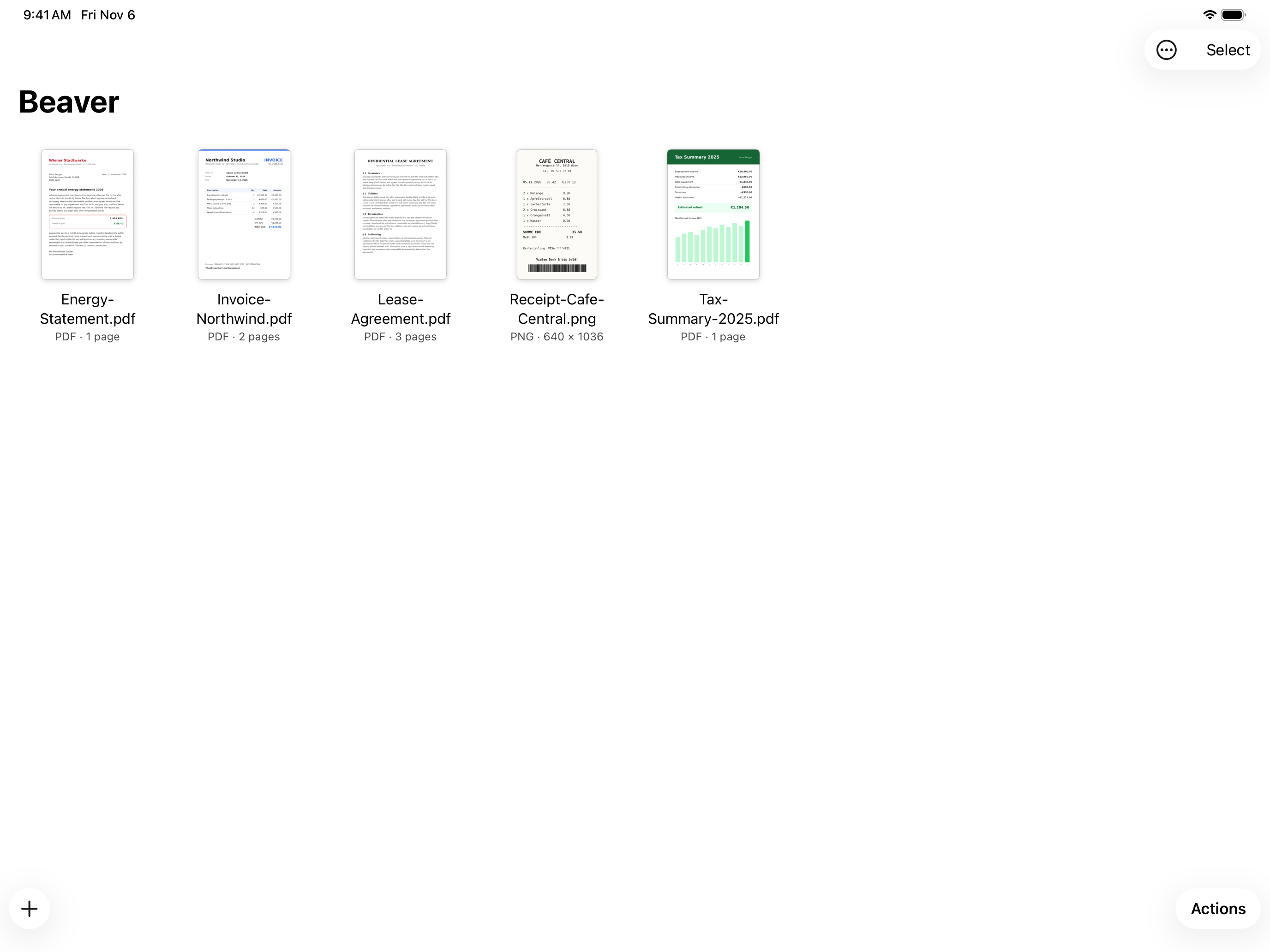
A workspace that feels at home on iPad. Bring in PDFs and photos from Files, or drag them straight in.
03 / A DIFFERENT DEAL
Popular scanners like CamScanner build around ads, accounts, and the cloud: an ad-heavy free tier, subscription pushes, and documents processed on remote servers.
Beaver takes the opposite approach.
Why we built it this wayNo analytics. No tracking. Just open the app and work with your files.
Processing happens on your Mac, iPhone or iPad. Your documents never leave it.
Imported files are never changed. Open source means you can read how it all works.
04 / PRIVATE BY DESIGN
Your visa. Your contract. Your medical records.
They belong on your device, not someone else’s server.
Pay $1.99 on the App Store, or build it yourself for free from the source.
05 / STRAIGHT ANSWERS
A private PDF scanner. Merge and split PDFs. On-device OCR. No account.
Beaver: PDF Scanner & OCR is an open-source PDF scanner and toolkit for Mac, iPhone and iPad. Scan paper, turn images into PDFs, merge, split and export pages with on-device OCR.
No. All processing runs on your device. Files never leave it, and imported originals are never changed. No account, ads, analytics or tracking.
The App Store build costs $1.99 one time. No subscription. The source is free to inspect and build. The App Store listing link is not available yet.
Yes. Get the source from GitHub and follow the repository build instructions on your own Mac for free. Both the App Store build and the self-built app process documents on device.
Beaver supports macOS 14+, iOS 17+ and iPadOS 17+. Camera scanning is available on iPhone and iPad.
Beaver is an open-source alternative to CamScanner for people who want local processing without ads, accounts or subscriptions. Beaver has no analytics or tracking, and does not upload documents for processing.
Yes. The source is public at https://github.com/31d4r/Beaver. You can inspect how it works and build it yourself for free on your own Mac.